
Rodeo Pearl
Supplies Needed
Tube of choice
Font of choice
My Pearls and Bow here
Filters:
DavidBlendFilters – Contrast Checkers
Toadies – What Are You?
Penta – Dots and Crosses
Artwork © Monte Moore.
You need to purchase a licence to use Monte’s artwork.
Visit CILM to get yours!
Lets begin!
1. Open up your supplies in psp. Open a new image. Floodfill with white. [mine was 500 x 500]
2. Using a dark colour from your tube as your background colour, foreground null, draw out a rectangle.
Convert to Raster layer.
3. Using your deform tool,

hold down the CTRL button while clicking on a corner of the rectangle. Drag this corner to where you’d like it.
 4. Duplicate this layer. Image – Mirror.
Place underneath your first rectangle. Do this for as many times as you’d like. I had 6 rectangles.

5. Hide your background layer and merge visible your rectangle layers. Layers – Duplicate.
On your bottom rectangle layer Effects – Toadies – What Are You? with the following settings:

I then lowered the opacity of this layer to 50.
Effects – Penta – Dots and Crosses with the following settings:

6. With your top rectangle layer active click inside alternate rectangles using your magic wand.
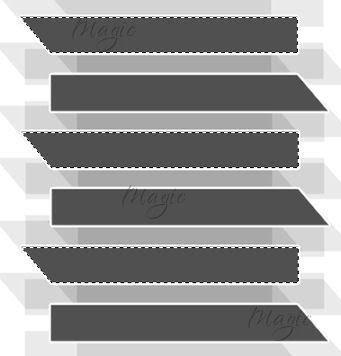
Effects – Layout Tools – Contrast Checkers with the following settings:

Selections – Select none.
Now click inside the rectangles that are left using your magic wand.
Effects – Texture Effects – Weave with the following settings:
*please note, my gap fill colour was the same colour as my rectangle*

Selections – Select none.
I then added a gradient glow and a drop shadow.
7. Copy and paste the string of pearls as a new layer. Arrange where you’d like them to go.
I erased part of them to look as though they were behind the rectangle.
Layers – Duplicate. Image – Mirror.
Add a drop shadow of choice.
8. Copy and paste the bow as a new layer. Resize and colourise it to match.
Add a drop shadow. Layers – Duplicate. Image – Mirror.
9. Add your tube. Add a drop shadow of choice.
10. Add your name in your font of choice. Resize to your liking.
11. Add the artists copyright and your done!
Thank you for trying out my tutorial.
Here is another example!

Layout and Tutorial ©Julie [magic] written on January 4th 2007.
Registered with Tutorial Writers Inc.
 Artistic Passion Tutorials